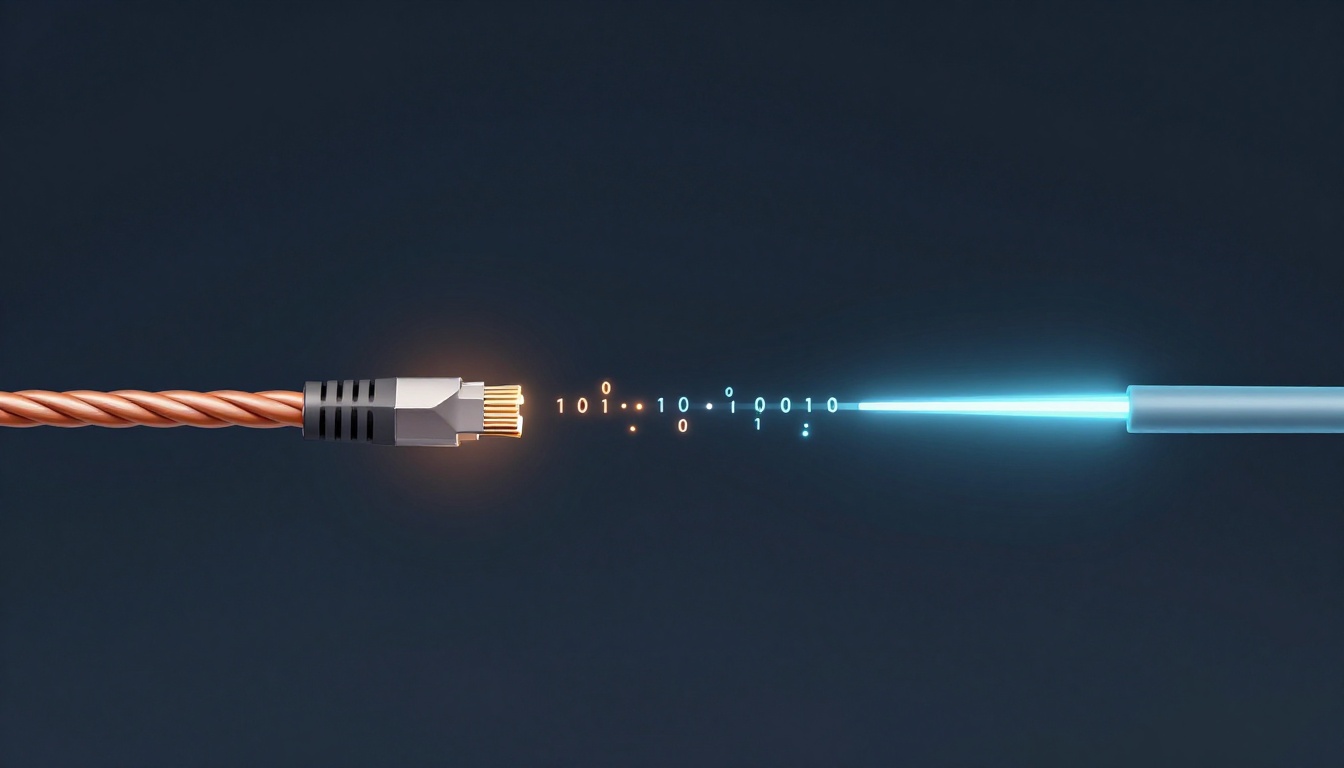
Have you ever sent a photo and wondered how it reaches your friend in seconds? The trip is faster than your instincts, and it happens through something surprisingly simple: cables.
In plain terms, data travels as tiny bits, meaning 1s and 0s. Your device turns those bits into a signal, sends the signal through the wire, and the receiver turns it back into data you can read.
That matters because cable quality and signal type decide your real-world speed. Copper cables carry electrical pulses, while fiber optic cables carry light pulses. So when streaming, gaming, or video calling gets shaky, the “how” behind cable data travel is often the reason.
Next, you’ll learn what signals look like, how copper and fiber send them, and when each option wins.
The Basics: Turning Your Data into Signals That Can Travel
Computers don’t send “photos” as pictures through a cable. Instead, they send data bits in cables as patterns of 1s and 0s. Think of it like a binary flip-flop. One state means “send,” and the other means “don’t send.”
Then the hardware does the important work: it encodes your data. Encoding means your device converts data into a form the cable can carry. For copper, that usually means voltage changes. For fiber, it usually means light pulses.
As the signal moves, it changes too. Distance and interference cause the signal to fade or get “messy.” That’s why systems use careful wiring design, tight timing, and sometimes regeneration or switching.
A helpful way to picture it is water in pipes. Data isn’t the water itself. Data is the pattern of pressure changes. The cable is the pipe, and physics slowly smears the pattern as the distance grows.
If you want a quick refresher on the idea of converting data into binary and back, see how data travel works over cables.

What Are Bits and How Do They Become Signals?
A bit is the smallest unit of information in computing. It’s either 0 or 1. But one bit alone is not useful. So computers group bits into larger chunks. For example, many systems package bits into bytes for handling tasks like text and file formats.
Now comes the cable part. The transmitter picks a simple method to represent bits as a signal.
With copper, a common approach is voltage shifting. A “1” might be a higher voltage, while a “0” might be a lower voltage. With fiber, a “1” might mean “light is on,” and a “0” might mean “light is off.” Either way, the cable doesn’t understand your email. It just carries the pattern.
To move faster, the signal often gets more complex than on and off. Modern systems can use different signal shapes and multi-bit encoding, so each time slot carries more information. That’s how you can get from “Morse-like pulses” to full streaming speeds.
Also, your device cares about timing. The receiver needs to know where one bit ends and the next begins. So encoding includes clocking info, error checks, or framing that helps the receiver stay aligned.
In short, your data becomes a signal pattern, then the cable transports that pattern until the receiver can rebuild the original data.
Electricity in Action: How Data Moves Through Copper Cables Like Ethernet
Ethernet is the most common use of copper cabling in homes and offices. Most Ethernet uses twisted pair copper wires (like Cat6 or Cat6A). Coaxial cable exists too, mainly for certain TV and broadband setups.
So how does the data actually travel through Ethernet cables? It travels as electric current and voltage pulses. When the transmitter sends a “1,” it drives a voltage level that matches the signaling scheme. When it sends a “0,” it drives a different level. The receiver measures these voltage changes and converts them back into bits.
Twisted pairs help because they reduce noise pickup. The pair twisting cancels some outside interference, like a steady hum from nearby power lines or other cables.
However, copper still has limits. Resistance causes energy loss, and signals spread out as they travel. That’s why Ethernet standards set distance limits for a single run. In typical installations, the practical max is about 100 meters for many copper Ethernet types.
In 2026, copper speeds depend on the cable category and distance. For example, as noted in recent cable specs, Cat6 can reach 10 Gbps at shorter lengths (up to about 55 meters), while Cat6A supports 10 Gbps up to 100 meters. At the high end, Cat8 targets 25 Gbps or 40 Gbps but only up to about 30 meters.
That’s why long links and data-heavy routes often switch to fiber.

From Your Router to the Wall: Step-by-Step Journey in Ethernet
Picture your network as a relay race.
First, your device sends data to a network interface card (NIC). Then the NIC breaks the data into frames, adds checks, and times everything for transmission.
Next, those frames become a sequence of signal symbols sent over the copper pairs. Because twisted pairs run side-by-side, the transmitter often uses differential signaling. Differential signaling means it sends one polarity on one wire and the opposite polarity on the other. The receiver looks at the difference, which helps reject common noise.
Meanwhile, your router or switch receives the signal on another port. The switch checks framing and error signals, then forwards the data onward. If the signal needs more “refreshing” than a single run can handle, modern networks do it at switching points, or they move to fiber for longer spans.
If you want more detail on how Ethernet frames and addressing work, check Ethernet frame structure and MAC basics.
In your home, the biggest “real-world limit” is usually distance and cable category. In other words, copper cables data travel fine over short runs, but fiber wins as runs get longer and speeds go up.
Coaxial Cables for TV and Internet: A Similar But Shielded Story
Coax might look different, but the core idea stays the same. It still uses electrical signaling to represent bits. The difference is the build.
A coax cable has a center conductor, an insulating layer, and an outer shield. That shield helps block outside radio noise and reduces interference between nearby signals. As a result, coax can perform well in some broadband and TV paths, especially when shielding matters.
For cable modem internet, the service often uses modulation schemes that fit the available spectrum. The modem and the network coordinate on channel usage and timing, then send the encoded bits as voltage and frequency changes along the coax.
So if Ethernet is like two garden hoses twisted together, coax is like a hose inside armor. Both move electricity-based signals, but coax adds extra protection against noise.
Light-Speed Magic: Data Racing Through Fiber Optic Cables
Fiber optic data travel works differently from copper because it uses light, not electricity along the line.
Inside fiber is a tiny glass core. When a transmitter sends a light pulse, the light reflects inside the core and bounces along the fiber. This happens due to how light hits the boundary between materials in the fiber, so the light stays guided like it’s trapped in a long tunnel.
At the transmitter, your system converts electrical signals into light pulses. Then those light pulses carry the bits through the cable. At the other end, a receiver detects the light and converts it back into electrical signals. After that, your device interprets the bits and rebuilds the data stream.
Because fiber doesn’t rely on current moving through a resistive wire, it handles distance better. It also resists electromagnetic interference (EMI) from nearby equipment, which helps in busy buildings.
Speeds are also huge. In modern data centers, fiber links can reach 400 Gbps per lane for short runs. High-density setups driven by AI needs may push 800 Gbps up to 1.6 Tbps depending on the setup.
For distance, many systems can span 60 to 100 km using optical amplifiers, which boost the light signal directly instead of “rebuilding” it electronically like older repeaters.

Laser Pulses and Bouncing Light: The Core Process
Let’s break the fiber process into a simple sequence.
First, your transmitter takes your data and turns it into a pattern. It then uses a laser (or sometimes an LED) to create light pulses. A common mapping is: one bit value becomes “more light” and the other becomes “less light.”
Next, fiber keeps the pulses moving. The light bounces within the core through total internal reflection. Because the pulses stay in the core, the receiver can still detect them after long travel.
To send more data at once, systems may use different wavelengths (colors). That method is often described as wavelength division multiplexing (WDM). Instead of one lane of light, you get multiple lanes stacked by color.
Finally, the receiver uses a photodetector. It measures the light pulses and converts them back into electrical signals. After that, the system uses framing and error checks to confirm it got the right bits.
If you want another clear walkthrough, see how fiber transmits data using light pulses.
Why Fiber Goes the Distance Without Breaking a Sweat
Copper fades because energy leaks away and the signal spreads. Fiber avoids much of that “spread-and-fade” pain, so it can cover longer distances with less degradation.
Still, fiber systems need help over very long spans. Instead of boosting the electrical equivalent, they use optical amplifiers that amplify the light signal. That means the signal keeps its shape well enough for detection far down the route.
This is one reason fiber dominates long-haul routes and submarine links. Undersea networks carry the majority of internet data across oceans. Capacity keeps improving too.
In 2026, for example, one announced upgrade is NTT’s 192-core submarine cable, which uses multicore fiber. The announcement states it’s designed to deliver about four times more capacity than regular cables without changing the cable size.
Another example is the Hawaiian Islands Fiber Link (HIFL), planned to improve connectivity across Hawaii’s main islands by replacing older, breakable cable routes. Even when exact capacity numbers aren’t public, the goal is the same: higher reliability and better performance for internet services.
Meanwhile, in data centers, fiber keeps scaling for AI traffic. Modern configurations push into the 800 Gbps to 1.6 Tbps range for high-density lanes, which would be far harder with typical copper links.
Copper vs Fiber: Speed, Distance, and When to Choose Each
You can think of it like this:
- Copper is convenient. It’s common, and it’s easy to run inside a building.
- Fiber is powerful. It travels farther with less signal loss, and it supports massive bandwidth.
But which one should you pick? It depends on your distance, your gear, and how much speed you need now.
Here’s a simple comparison using recent 2026 ranges and link limits:
| Category | What signal carries bits | Typical speed in 2026 | Typical distance limit | Common boosters/regeneration |
|---|---|---|---|---|
| Copper (Ethernet) | Voltage pulses on metal | Cat6: 10 Gbps (shorter runs), Cat6A: 10 Gbps (to ~100m), Cat8: 25 to 40 Gbps (to ~30m) | ~100 m (for standard Ethernet runs) | Switches, and distance limits by spec |
| Fiber optic | Light pulses in glass | 10+ Gbps up to hundreds of Gbps, with data-center lanes up to 400 Gbps and even 800 Gbps to 1.6 Tbps | 60 to 100 km with optical amplification | Optical amplifiers for long-haul |
For broader real-world guidance on choosing between them, see fiber vs copper for home and business networks.
In 2026, copper still makes sense for short runs. Fiber fits best for fast backbones, long connections, and places where you want to plan for future upgrades.
Conclusion
So how does data travel through cables? It starts as 1s and 0s, then your devices turn those bits into a signal the cable can carry.
Copper moves data with electric voltage pulses, and the signal fades faster with distance and interference. Fiber moves data with light pulses, and it holds up over long runs while reaching very high speeds.
If you’re troubleshooting a slow connection, check two things first: your cable type (like Cat6A vs Cat8) and your distance. When copper hits its limit, fiber often becomes the clean answer.
What cable runs are in your setup, and where do you notice slowdowns, near the router or at the far end?